Chipotle Macro Calculator
Calculate the macros for your Chipotle meal
This guide explains how to use the chipotle macro calculator to plan your meals.
What is the chipotle macro calculator?
The chipotle macro calculator is a tool designed to help you track the nutritional information of your Chipotle orders. By inputting your specific ingredients and portion sizes, it calculates the total calories, protein, carbohydrates, and fats (macros) for your meal. This is especially useful for anyone following a specific diet plan or tracking their daily nutrient intake.
- Chipotle Macro Calculator
- Your Chipotle Meal Macros
- What is the chipotle macro calculator?
- How to Use the chipotle macro calculator?
- What is a Chipotle Macro Calculator?
- Why Macros Matter at Chipotle
- How to Use a Chipotle Macro Calculator
- Step-by-Step Guide to Building Your Bowl
- Key Ingredients and Their Nutritional Profiles
- Chipotle Macro Calculator vs. Manual Tracking: Which is Better?
- Best Chipotle Bowls for Specific Diet Goals (Keto, High-Protein, Vegan)
- Keto-Friendly Chipotle Options
- High-Protein Chipotle Meal Ideas
- Common Mistakes to Avoid When Tracking Chipotle Macros
- Frequently Asked Questions
- Does Chipotle provide a macro calculator on their website or app?
- How accurate are online Chipotle macro calculators?
- What are the best Chipotle meals for low-carb diets?
- Can I customize my Chipotle order to fit my macros?
- How do I calculate the macros for a Chipotle burrito?
- Are Chipotle ingredients fresh and healthy for tracking macros?
- What's the highest protein Chipotle bowl I can build?
- Do Chipotle's nutrition facts change based on location?
How to Use the chipotle macro calculator?
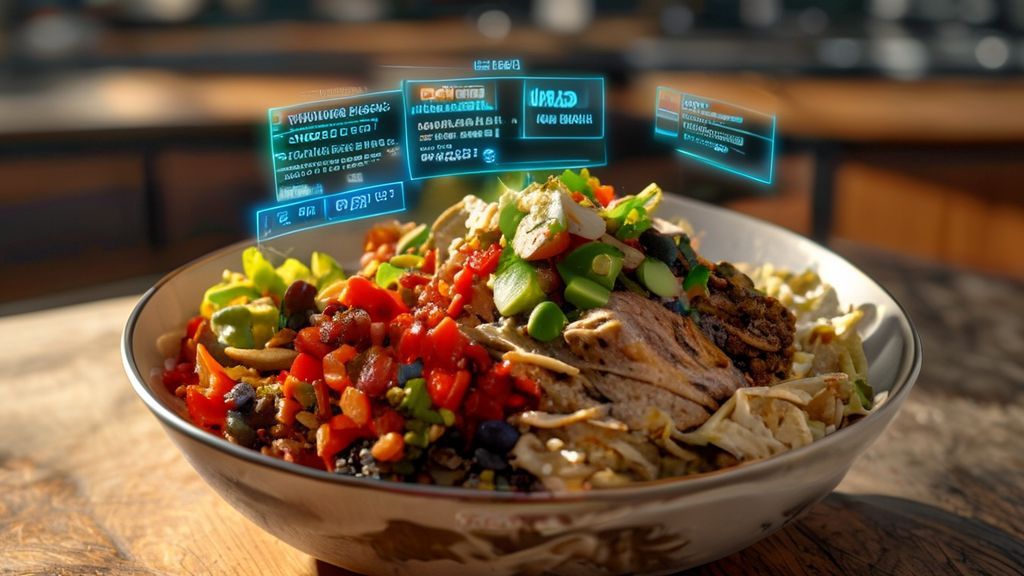
Using the chipotle macro calculator is straightforward. Follow these steps to get your meal’s nutritional breakdown:
- Select Your Base: Start by choosing your meal’s foundation, such as a burrito, bowl, or salad.
- Choose Your Protein: Pick from options like chicken, steak, barbacoa, carnitas, or sofritas. You can also select double portions.
- Add Toppings and Sides: Include your preferred rice, beans, salsas, cheeses, guacamole, and other toppings. Remember that some items, like guacamole, add significant calories and fats.
- Review the Totals: The calculator will automatically update the total macros (calories, protein, carbs, and fats) as you build your meal. This allows you to adjust ingredients to meet your specific dietary goals.
- Save or Plan Ahead: Use the results to plan your meals for the week or compare different combinations to find the most balanced option for your needs.
What is a Chipotle Macro Calculator?
A Chipotle macro calculator is a specialized digital tool designed to help you track macronutrients—protein, carbohydrates, and fats—when ordering from the popular fast-casual restaurant chain. Unlike a standard calorie counter, this calculator allows you to customize your meal by selecting specific ingredients and portion sizes, providing a precise breakdown of your nutritional intake. This is essential for individuals following specific dietary protocols like keto, high-protein, or balanced macro diets. By using a Chipotle macro calculator, you can transform a typically high-calorie, high-sodium meal into a tailored dish that aligns with your fitness goals. It empowers you to make data-driven decisions, ensuring that every burrito bowl, taco, or salad you enjoy supports your health objectives.
Why Macros Matter at Chipotle
Understanding and tracking macronutrients is crucial because they directly influence energy levels, muscle synthesis, fat loss, and overall metabolic health. At Chipotle, where ingredient portions are generous and combinations are endless, it’s easy to unintentionally consume excessive calories, sodium, or carbohydrates, especially if you’re relying on high-carb bases like rice and tortillas. For someone on a ketogenic diet, for example, a single burrito bowl with rice and black beans can exceed their daily carbohydrate limit, potentially halting ketosis. Conversely, an athlete aiming for high protein intake might under-consume protein by choosing a salad with only lettuce and salsa. A macro calculator provides clarity, highlighting how each component contributes to your daily goals, preventing common pitfalls and promoting mindful eating.
How to Use a Chipotle Macro Calculator
Using a Chipotle macro calculator involves a straightforward process of inputting your desired meal components to receive an instant nutritional analysis. Most online calculators or mobile apps feature a visual interface where you select your base (e.g., burrito, bowl, salad), then add proteins, toppings, and sides. You can adjust portion sizes, such as double protein or extra rice, and the calculator updates the macros in real-time. This tool often integrates with popular fitness apps, allowing you to log your meal directly into your daily tracker. By regularly using this method, you can identify which combinations work best for your diet, such as a low-carb bowl with extra chicken and guacamole, versus a high-carb option for energy-intensive training days. It turns a casual dining experience into a strategic part of your nutrition plan.
Step-by-Step Guide to Building Your Bowl
Begin by opening your preferred Chipotle macro calculator and selecting your meal format, such as a burrito bowl for maximum customization. First, choose your base layer: options like white rice, brown rice, lettuce, or no base for a low-carb option. Each base has distinct macro profiles; for instance, brown rice offers more fiber but similar carbs to white rice. Next, select your protein: chicken, steak, barbacoa, carnitas, sofritas, or vegetarian options like black or pinto beans. The calculator will prompt you to specify the portion, typically a standard serving or a “double” scoop. After protein, add your toppings and sides, including fajita vegetables, salsas, cheeses, and guacamole. Each addition modifies the total calories, protein, carbs, and fats. Finally, review the summary dashboard, which displays your meal’s total macros, and save the combination for future reference. This iterative process allows you to experiment with different ingredients to find the perfect balance for your needs.
Key Ingredients and Their Nutritional Profiles
Understanding the nutritional profiles of Chipotle’s core ingredients is fundamental to accurately using a macro calculator and making informed choices. Starting with bases, a standard portion of white rice contains approximately 200 calories, 40 grams of carbohydrates, and 4 grams of protein, while brown rice offers similar calories with slightly more fiber and micronutrients. Lettuce is a negligible-calorie base, ideal for low-carb diets, providing virtually zero carbs and fats. For proteins, chicken is a lean option with around 180 calories, 32 grams of protein, and minimal fat, making it excellent for high-protein goals. Barbacoa and steak are higher in fat but provide robust flavor and satiety, with barbacoa containing about 170 calories and 24 grams of protein. Vegetarian options like black beans offer 120 calories, 8 grams of protein, and 22 grams of carbohydrates, serving as a good plant-based protein and fiber source. Toppings significantly impact macros: guacamole is calorie-dense due to healthy fats, with roughly 230 calories and 22 grams of fat per serving, while tomato salsa is very low in calories but high in vitamin C. Cheeses and sour cream add fats and proteins but also increase sodium. By cross-referencing these profiles with a macro calculator, you can quantify how each choice affects your meal’s total nutritional footprint, enabling precise adjustments to meet dietary targets.
Chipotle Macro Calculator vs. Manual Tracking: Which is Better?
The debate between using a dedicated Chipotle macro calculator and manually tracking your meal is a common one for fitness enthusiasts and health-conscious individuals. Both methods have distinct advantages and drawbacks, and the “better” choice often depends on your personal goals, lifestyle, and level of precision required. A macro calculator, especially one tailored to a specific chain like Chipotle, offers unparalleled convenience. These tools are pre-programmed with the exact nutritional data for every ingredient, from the type of rice and beans to the specific salsas and toppings. This eliminates the guesswork and potential for human error that comes with manual entry, where you might misjudge portion sizes or forget a minor ingredient. For someone who frequents Chipotle multiple times a week, the time saved by using a calculator is significant. It allows for quick, accurate meal planning that aligns with strict macronutrient targets, which is crucial for bodybuilders, athletes, or those on therapeutic diets.
However, manual tracking, while more labor-intensive, offers a different kind of value: education and mindfulness. When you manually look up each component of your bowl—say, brown rice, black beans, chicken, fajita veggies, and medium salsa—you develop a deeper understanding of the nutritional profile of each item. This process forces you to engage with your food choices on a granular level, which can lead to more informed decisions over time. You might realize that the queso, while delicious, adds a significant amount of saturated fat and calories, prompting you to use it more sparingly. Manual tracking also offers greater flexibility for customization. If a Chipotle calculator doesn’t account for a new seasonal ingredient or a specific portion request (like “half a scoop of rice”), manual entry allows you to adjust accordingly. Furthermore, manually tracking your entire day’s intake in a single app (like MyFitnessPal or Cronometer) provides a holistic view of your nutrition, integrating your Chipotle meal seamlessly with the rest of your daily consumption.
To make an informed decision, consider the following comparison:
| Feature | Chipotle Macro Calculator | Manual Tracking |
|---|---|---|
| Accuracy | Extremely high, as it uses official nutritional data. | High, but dependent on user diligence and correct portion estimation. |
| Convenience | Very high. Select options and get instant results. | Low to moderate. Requires searching for each ingredient and inputting data. |
| Learning Curve | Minimal. User-friendly interface. | Moderate. Requires familiarity with tracking apps and nutritional labels. |
| Flexibility | Limited to the calculator’s predefined options. | High. Can account for any ingredient, any portion, and any brand. |
| Best For | Busy individuals, strict macro-counters, frequent Chipotle visitors. | Those seeking nutritional education, holistic diet tracking, or highly customized meals. |
Ultimately, the most effective approach may be a hybrid one. Use a Chipotle macro calculator for speed and accuracy when building your meal in the app or on the website. Then, manually log the final recipe in your comprehensive daily nutrition tracker to see how it fits into your overall plan. This combines the precision of the calculator with the contextual awareness of manual tracking, giving you the best of both worlds.
Best Chipotle Bowls for Specific Diet Goals (Keto, High-Protein, Vegan)
Navigating a fast-casual menu like Chipotle’s while adhering to a specific dietary protocol can seem daunting, but with strategic ordering, it’s entirely possible to create meals that align with your goals. Chipotle’s customizable format is its greatest strength, allowing you to act as your own nutritionist by building a bowl from the ground up. Whether you’re following a ketogenic diet for weight loss or metabolic flexibility, aiming for high-protein intake to support muscle growth, or maintaining a vegan lifestyle, the key is to understand which ingredients to prioritize and which to avoid. For keto, the focus is on ultra-low carbohydrates and high fat. This means eliminating all grains, beans, and starchy vegetables, and loading up on healthy fats from sources like carnitas, guacamole, and cheese. High-protein seekers should prioritize lean protein sources and may consider doubling up on their protein choice, while carefully managing carbohydrates and fats to meet their caloric targets. Vegans must avoid all animal products, but Chipotle offers a robust selection of plant-based proteins, beans, and vegetables to create a satisfying and nutritionally complete meal.
The following sections will break down optimal choices for each of these popular dietary approaches. It’s important to note that while these recommendations provide a strong foundation, individual needs can vary based on factors like total daily calorie intake, activity level, and specific macronutrient ratios. Always use a macro calculator or nutrition app to fine-tune your order to your personal requirements. Additionally, be mindful of condiments and sauces, as they can dramatically alter the nutritional profile of your meal. For example, a single serving of Chipotle’s vinaigrette contains 220 calories and 21 grams of fat, which could be beneficial for a keto dieter but might be excessive for someone on a calorie deficit.
Keto-Friendly Chipotle Options
Building a keto-friendly bowl at Chipotle requires a disciplined approach to ingredient selection, focusing on high-fat, moderate-protein, and very low-carbohydrate components. The primary goal is to keep net carbs (total carbohydrates minus fiber) under 20-30 grams for the day, so every gram counts in a single meal. The foundation of your keto bowl should be a base of lettuce or a double serving of fajita vegetables (sautéed bell peppers and onions), which provide volume and micronutrients with minimal carbs. You must completely avoid the rice (both white and brown), black beans, pinto beans, and any type of corn salsa, as these are all high in carbohydrates. For your protein, the best options are those with zero carbs: carnitas (pork), steak, or chicken. The Barbacoa and Sofritas (tofu) also fit, but Sofritas have a small amount of carbs from the marinade, so portion control is key.
The real magic for a keto meal at Chipotle comes from the high-fat toppings. Guacamole is a keto superstar, providing healthy monounsaturated fats and fiber. Adding cheese and sour cream further increases the fat content, helping you feel satiated. The medium and hot salsas (tomato-based) are relatively low in carbs compared to the corn salsa, but should still be used sparingly. To maximize fat and flavor, consider adding a side of the Chipotle Vinaigrette, which is made with sunflower oil and is very low in carbs, though high in calories. A perfect keto bowl might look like this: a base of lettuce and fajita veggies, topped with a double portion of carnitas, a generous scoop of guacamole, a sprinkle of cheese, a dollop of sour cream, and a side of vinaigrette. This combination will deliver a high-fat, moderate-protein, and very low-carb meal that keeps you in ketosis.
Here is a sample breakdown of a classic keto bowl:
| Ingredient | Portion | Approx. Net Carbs | Approx. Fat (g) |
|---|---|---|---|
| Lettuce & Fajita Veggies | Base | 5g | 2g |
| Carnitas | Regular | 0g | 12g |
| Guacamole | Regular | 2g | 15g |
| Cheddar Cheese | Regular | 1g | 6g |
| Sour Cream | Regular | 2g | 9g |
| Total | Full Bowl | ~10g | ~44g |
Note: Nutritional values are estimates and can vary. Always verify with the most current Chipotle nutrition information.
High-Protein Chipotle Meal Ideas
For individuals focused on muscle building, satiety, or simply increasing protein intake, Chipotle provides excellent opportunities to create high-protein meals. The most straightforward strategy is to select a lean protein source and, if your calorie budget allows, double the portion. Chipotle’s standard protein servings are approximately 4 ounces, so doubling up can easily provide 40-50 grams of protein in a single meal. The leanest protein options are chicken and steak, followed by Barbacoa and carnitas. While Sofritas (spicy tofu) is a plant-based option, its protein content is lower than the meats, so it’s better suited for vegans who also need to supplement with other protein sources throughout the day.
To build a high-protein bowl, start with a base that won’t dilute your protein-to-calorie ratio. Brown rice or white rice can be included if you need carbohydrates for energy, but for a pure high-protein focus, a base of lettuce or fajita vegetables is more efficient. From there, load up on your chosen protein. A bowl with double chicken, for example, will provide a substantial protein foundation. To keep the meal balanced, include a source of fiber and micronutrients from beans or veggies. Black beans add a bit of protein and fiber, while fajita veggies add volume with minimal calories. For toppings, cheese and sour cream add a bit more protein and fat, but be mindful of calories if you’re on a cut. A simple yet effective high-protein bowl could be: a base of brown rice (for energy), double chicken, black beans, fajita veggies, and a scoop of medium salsa. This meal is well-rounded, providing a high dose of protein, complex carbohydrates, and fiber.
Consider this example of a high-protein meal with double chicken:
| Component | Selection | Protein (g) | Calories |
|---|---|---|---|
| Base | Brown Rice (1 scoop) | 4g | 170 |
| Protein | Chicken (Double) | ~40g | ~320 |
| Beans | Black Beans (1 scoop) | 8g | 120 |
| Veggies | Fajita Veggies | 2g | 20 |
| Salsa | Medium (Pico de Gallo) | 1g | 25 |
| Total | Full Bowl | ~55g | ~655 |
This meal is ideal post-workout or as a substantial lunch that supports muscle protein synthesis and keeps you full for hours.
Common Mistakes to Avoid When Tracking Chipotle Macros
Even with the best intentions, tracking macros for a customizable meal like Chipotle can be fraught with pitfalls that lead to inaccurate data and potential derailment of your dietary goals. One of the most frequent and significant mistakes is underestimating portion sizes. Chipotle employees are trained to serve consistent portions, but “standard” scoops can vary, and it’s easy to mindlessly accept a heaping portion of rice or beans. When using a calculator or logging manually, you must be specific. Are you using the standard portion, a light portion, or a double portion? Visually, a “light” scoop of rice might look like a half-portion, which can cut the carbohydrates by nearly half. Conversely, a “double” portion of guacamole is nearly equivalent to two full servings, drastically increasing fat and calorie intake. To combat this, either ask the staff for a specific portion (e.g., “half a scoop of rice”) or learn to visually estimate based on common objects—a standard scoop is roughly the size of a computer mouse.
Another critical error is forgetting to account for all components of the meal, especially the small but calorie-dense additions. This includes the tortilla if you’re ordering a burrito (which can add 300+ calories and 50+ grams of carbohydrates), the vinaigrette dressing (220 calories, 21g fat), the chips (a side can easily add 500+ calories), or the queso (which is high in fat and sodium). Many people meticulously track their bowl but then log a “side of chips” as a negligible item, which is a major miscalculation. Similarly, condiments like the vinaigrette or hot sauce should be included. A common mistake is also misclassifying ingredients. For example, some might assume “salsa” is low-calorie, but the corn salsa is significantly higher in carbs and calories than the tomato-based pico de gallo. Assuming all salsas are equal is a tracking error that adds up.
To illustrate, let’s compare the impact of common oversights:
| Common Oversight | Example | Estimated Additional Calories | Impact on Tracking |
|---|---|---|---|
| Portion Inflation | Accepting a “heaping” scoop of rice instead of a standard one. | +80-100 calories | Underestimates carb and calorie intake. |
| Forgotten Components | Adding a side of chips or a tortilla without logging. | +150 to +500+ calories | Massively underestimates total intake. |
| Condiment Neglect | Forgetting to log the vinaigrette or queso. | +100 to +220 calories | Skews fat and calorie ratios. |
| Ingredient Misclassification | Logging corn salsa as regular salsa (pico de gallo). | +60 calories, +15g carbs | Overestimates low-carb status, underestimates carbs. |
To avoid these mistakes, adopt a meticulous approach. Always specify your portion sizes when ordering and when logging. Use a macro calculator that allows you to select “light,” “regular,” or “double” portions for each ingredient. Log every single item, from the base to the last drop of sauce. If you’re using a general nutrition database like MyFitnessPal, search for “Chipotle” specific entries, as user-generated data can be inaccurate. The most reliable source is Chipotle’s own official nutrition calculator on their website. By being thorough and precise, you can ensure your tracking reflects reality, allowing you to enjoy your Chipotle meal with confidence and stay on track with your health and fitness objectives.
Frequently Asked Questions
Does Chipotle provide a macro calculator on their website or app?
Chipotle does not offer a dedicated macro calculator on their website or app, but they provide detailed nutritional information for each ingredient and menu item. You can use this information to manually calculate your macros or use third-party tools.
How accurate are online Chipotle macro calculators?
Online macro calculators for Chipotle are generally accurate as long as they are based on the official nutrition data published by Chipotle. However, slight variations can occur due to portion sizes and preparation differences, so they should be used as estimates.
What are the best Chipotle meals for low-carb diets?
The best low-carb options at Chipotle are a salad bowl or a burrito bowl without rice or beans. Focus on protein like chicken or steak, add fajita vegetables, and top with guacamole, salsa, and cheese while avoiding high-carb toppings like corn and rice.
Can I customize my Chipotle order to fit my macros?
Yes, Chipotle is known for its high level of customization. You can adjust portion sizes, choose specific ingredients, and omit items to precisely tailor your meal to meet your macronutrient goals.
How do I calculate the macros for a Chipotle burrito?
To calculate macros for a burrito, list every ingredient you plan to include (tortilla, rice, beans, protein, salsas, etc.). Sum the calories, protein, carbohydrates, and fat from each ingredient using Chipotle’s nutrition guide. Remember that standard burritos often exceed 1,000 calories.
Are Chipotle ingredients fresh and healthy for tracking macros?
Chipotle emphasizes fresh ingredients, such as locally sourced produce and no artificial additives. While this supports a healthy diet, tracking macros is still essential as even fresh ingredients like rice, beans, and guacamole are calorie-dense.
What’s the highest protein Chipotle bowl I can build?
To maximize protein, build a bowl with double portions of chicken or steak (32-40g protein), add black or pinto beans (8-12g protein), and include cheese (6g protein). A bowl with double chicken and beans can provide over 60g of protein.
Do Chipotle’s nutrition facts change based on location?
Chipotle’s nutrition facts are generally consistent across locations in the U.S., as they use standardized recipes and ingredients. However, minor variations may occur due to regional suppliers or preparation practices, though these differences are typically minimal.